The date, always in sight.
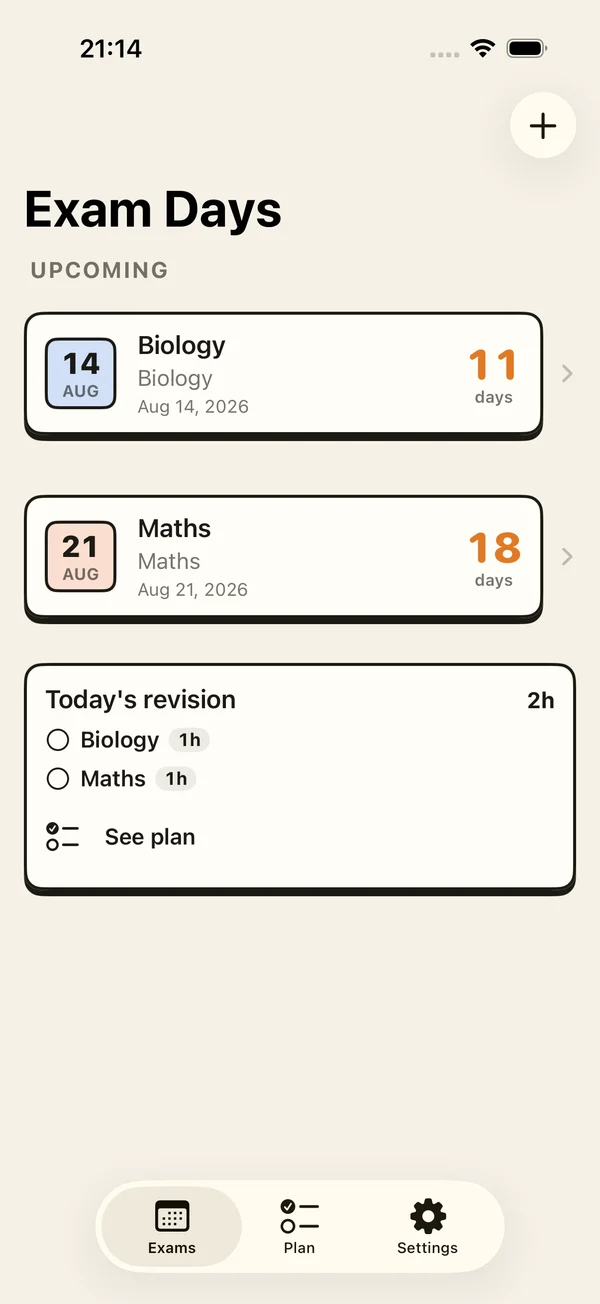
Give each exam a name, date and subject. See the days count down, with colors and icons that make your list your own.
 exam days.
 Exam countdown & study planner for iPhone
Keep the date in sight and your next step simple. A countdown, a little structure, and room to get on with your day.
Download on theApp StoreTry it free · One-time unlock · No account
Take a look insideFrom “when is it?” to “what's next?”
Less time working out what to study. More space to actually start.
Give each exam a name, date and subject. See the days count down, with colors and icons that make your list your own.
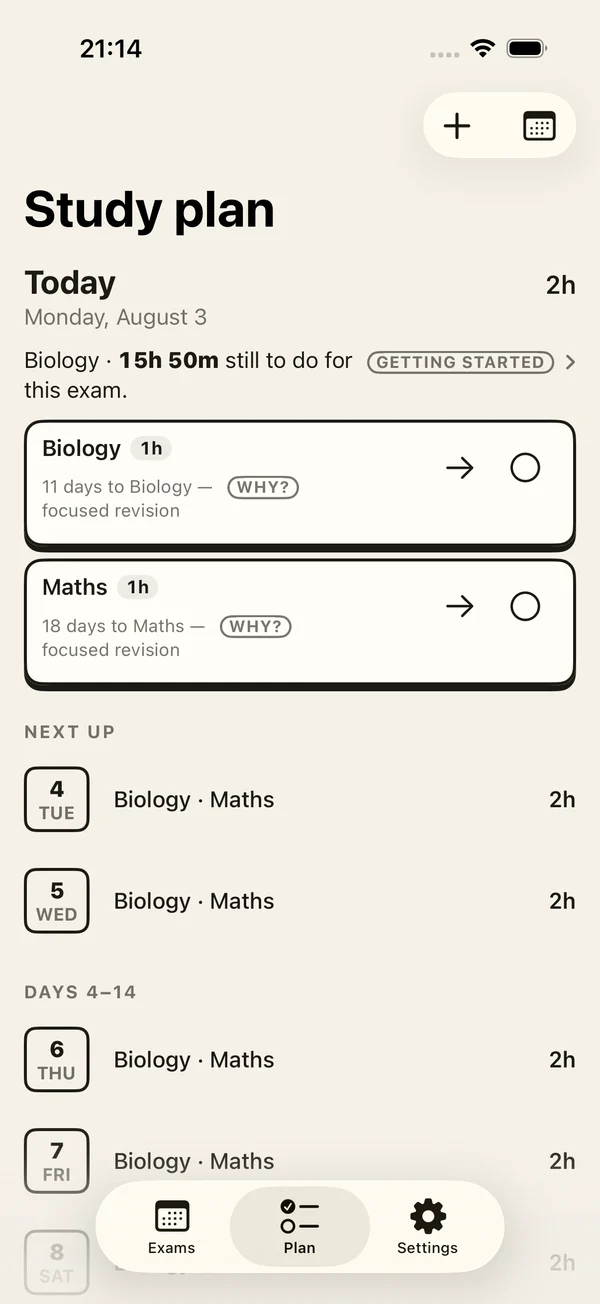
See study suggestions and a 14-day plan. Schedule sessions, record study time, and see how your preparation is taking shape.
Keep a countdown on your Home Screen, Lock Screen or in StandBy. Live widgets are included in the one-time unlock.
Choose exam reminders that work for you. Notifications are scheduled on your device, with your permission.
No account to create. Your exams and study records are stored on your device. Read our privacy policy for analytics and purchase processing.
Privacy ↗Where official exam dates are available, source links help you check them. Always confirm your own timetable with your school or exam authority.
Make a start
Pick the subject and date. Give your next deadline a place to live.
Start with the free sample: review, practise and recall.
Unlock the full app when you want ongoing plans, widgets and more exams.
Start small. Keep going.
One purchase unlocks the full app. No subscription to keep track of.
A first step
Get a feel for a calmer exam routine.
The study sample does not renew each day. Live widgets require the unlock.
Download on theApp StoreThe full picture
A little more structure for every exam.
See your local price in the app. Restore an existing purchase with the same Apple Account.
Download on theApp StoreGood questions
You can try one active countdown, three one-off study tasks and one optional day-before reminder for free. A one-time purchase unlocks the full app, including live widgets. There is no subscription.
No. Your exam and study data are stored on your device. Exam Days does not provide its own cloud-sync service. Purchases and analytics use the providers described in our privacy policy.
Exam Days is available for iPhone and iPad with iOS or iPadOS 17 or later. Widget and StandBy availability depends on your device and system settings.
Some exam listings include published dates and official source links. Coverage varies by exam and country. Check the source and your school’s timetable before relying on a date. You can also enter your own exam date.
Yes. Use Restore Purchases in the app with the Apple Account used for the original purchase. If you need help, contact [email protected].
Delete exams in the app or delete the app from your device to remove its local data. Offloading the app keeps its data. For support messages or identifiable provider records, use the data-deletion instructions linked below.
A human on the other end
A question, a purchase that needs sorting out, or a date that doesn't look right? Send us a note.
Give your exams a little space. Give yourself a little calm.
Download on theApp Store